

Code scan
Find out what the AI in your project can actually do, before the code ships.
npx leap360 scan CRITICAL delete_namespace src/agent.ts:13 · ai-sdk NOT governed
└ k8s.delete api.deleteNamespace() deletes Kubernetes resources src/lib/k8s.ts:10 via removeNamespace → deleteNs
HIGH refund src/agent.ts:23 · ai-sdk governed by leap.wrapTool
└ payment stripe.refunds.create() moves money src/agent.ts:26The scanner parses your code. It finds every function handed to an AI as a tool, and follows each one across functions and files to the operations that matter: shell commands, file deletion, SQL, Kubernetes, AWS, GitHub, payments, outbound messages and network calls.
What it recognises
- Vercel AI SDK and OpenAI Agents
tool() - Mastra
createTool() - LangChain tools
- MCP servers (
server.tool,registerTool) - OpenAI and Anthropic tool schemas
leap.wrapTool()- Python
@tool,@function_tooland@mcp.tool()(basic support)
Stop new risky tools in the build
npx leap360 scan --install-hookThis adds leap360 scan --fail-on-new critical to your prebuild script and saves a baseline. A change that gives an agent a new critical ability, such as a tool that can delete a cluster, then fails the build until the tool is governed with wrapTool or accepted with --update-baseline.
See results in the console
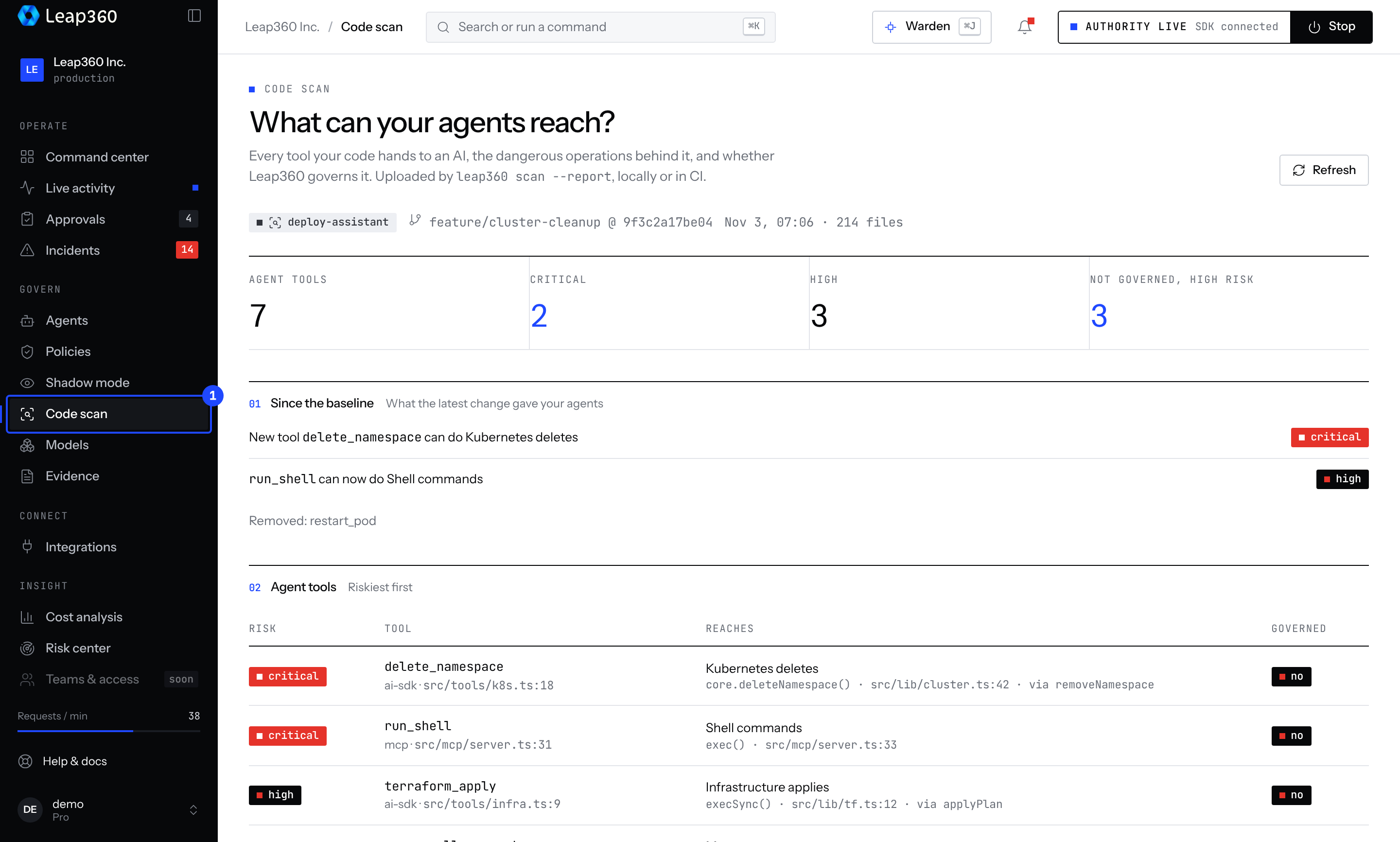
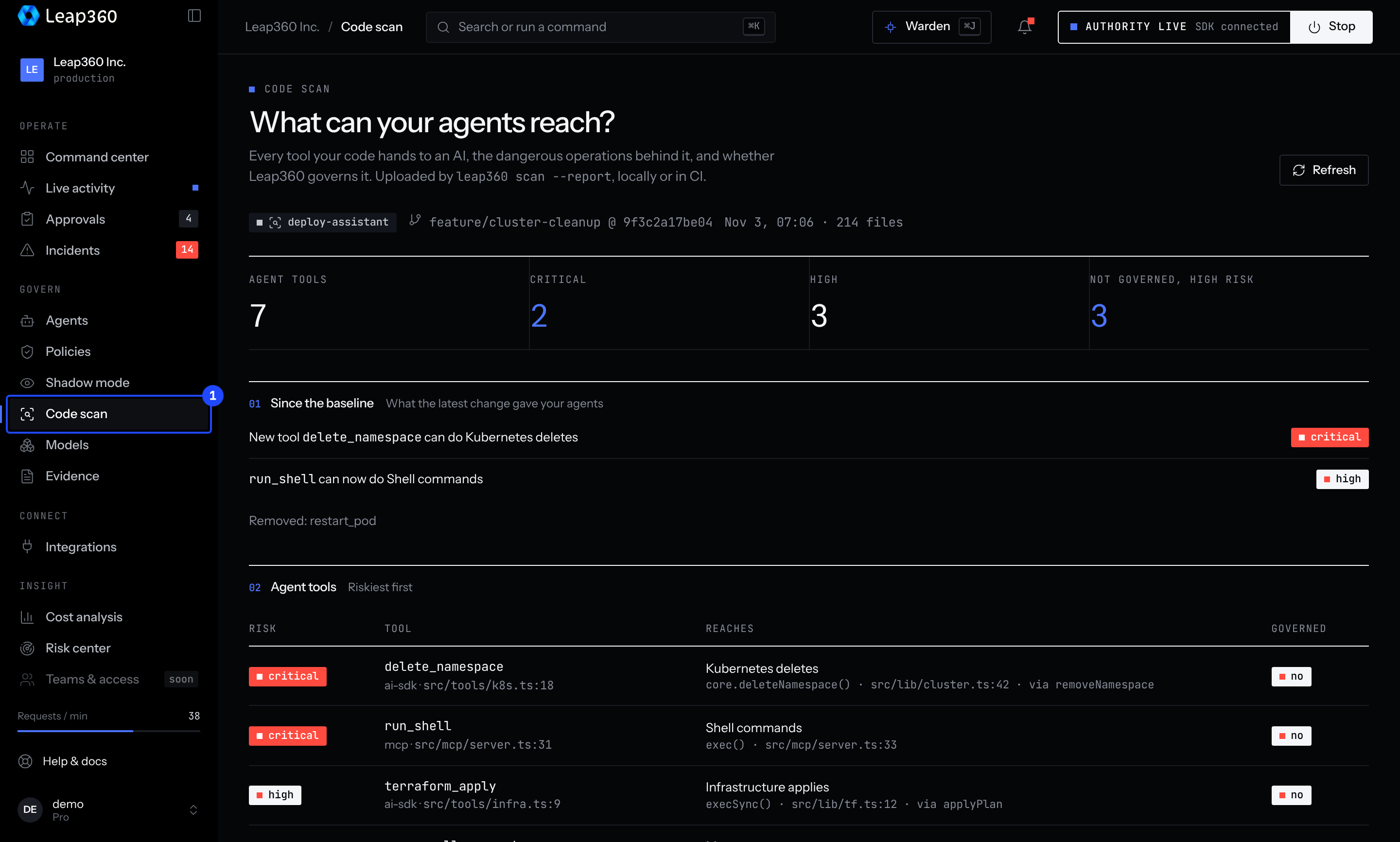
npx leap360 scan --reportUploads the result to your project, with the git branch and commit. It appears under Code scan in the console. Use it in CI.
Options
| Option | What it does |
|---|---|
--fail-on <risk> | Exit 1 if a tool Leap360 does not govern reaches this risk |
--fail-on-new <risk> | Exit 1 only if this change adds such a tool or ability, compared with the baseline |
--update-baseline | Accept the current abilities as the baseline (.leap360/scan-baseline.json; commit it) |
--install-hook | Add the scan to your prebuild script and save a baseline |
--json | Machine-readable output |
--report | Upload the result to the console |
To use it from code: import { scanProject } from 'leap360/scan'.