

Shadow mode
Watch what agents do and what your policies would do, without blocking anything.
Shadow mode records every agent action and checks it against your policies, but never blocks or holds a call. Run it first, read the report, adopt the policies it suggests, then switch to enforce.
New projects start in shadow mode for 7 days. The project stays in shadow mode after the window ends, until a person switches it to enforce.
Shadow and enforce compared
| Shadow | Enforce | |
|---|---|---|
| Policies evaluated | Yes | Yes |
| Calls blocked | Never | When a policy says so |
| Waits for Leap360 | Only for a kill switch status, at most once a second | Yes |
| Kill switch | Applies, within 1 second | Applies, immediately |
Read the shadow report
Open Shadow mode in the console.
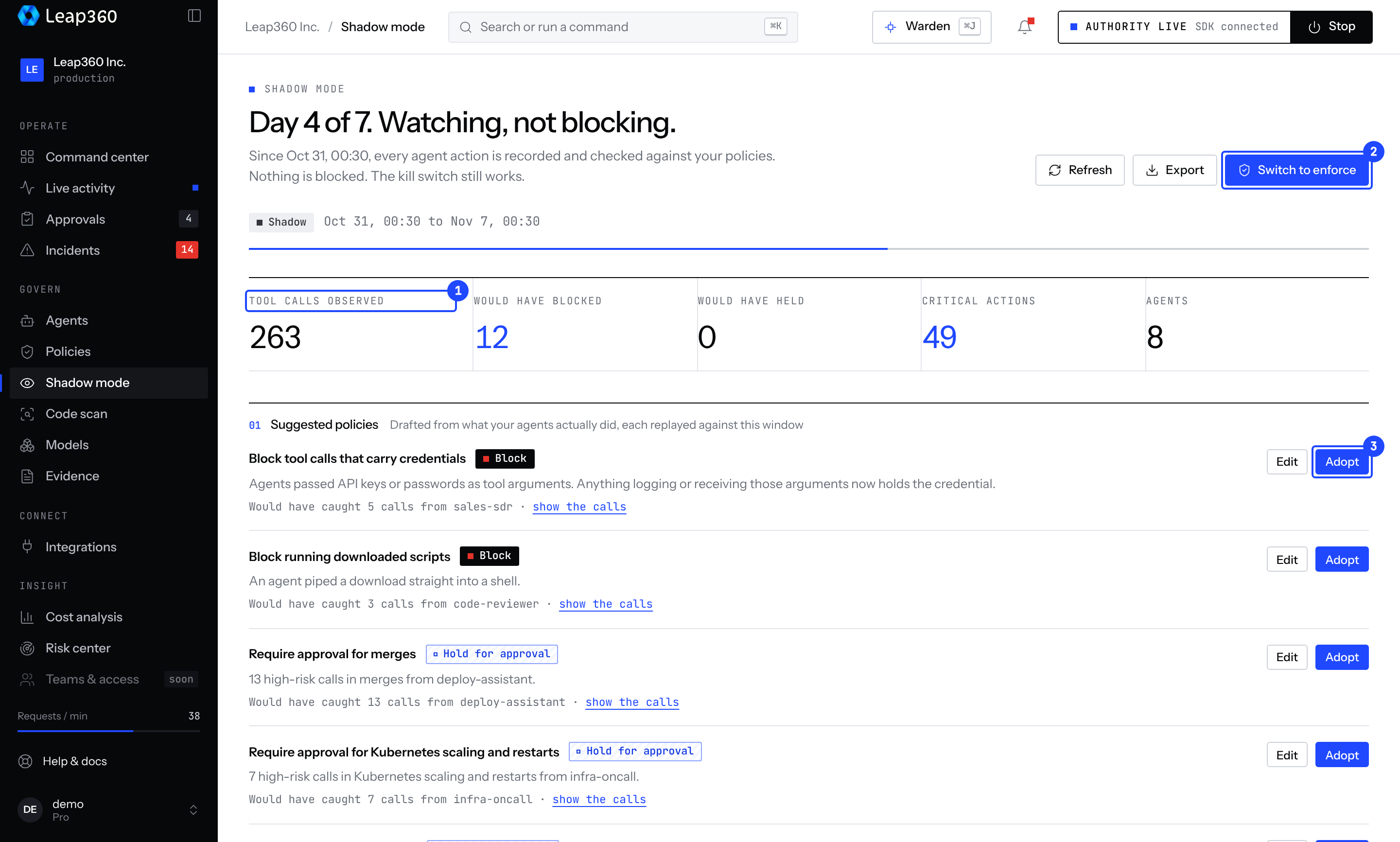
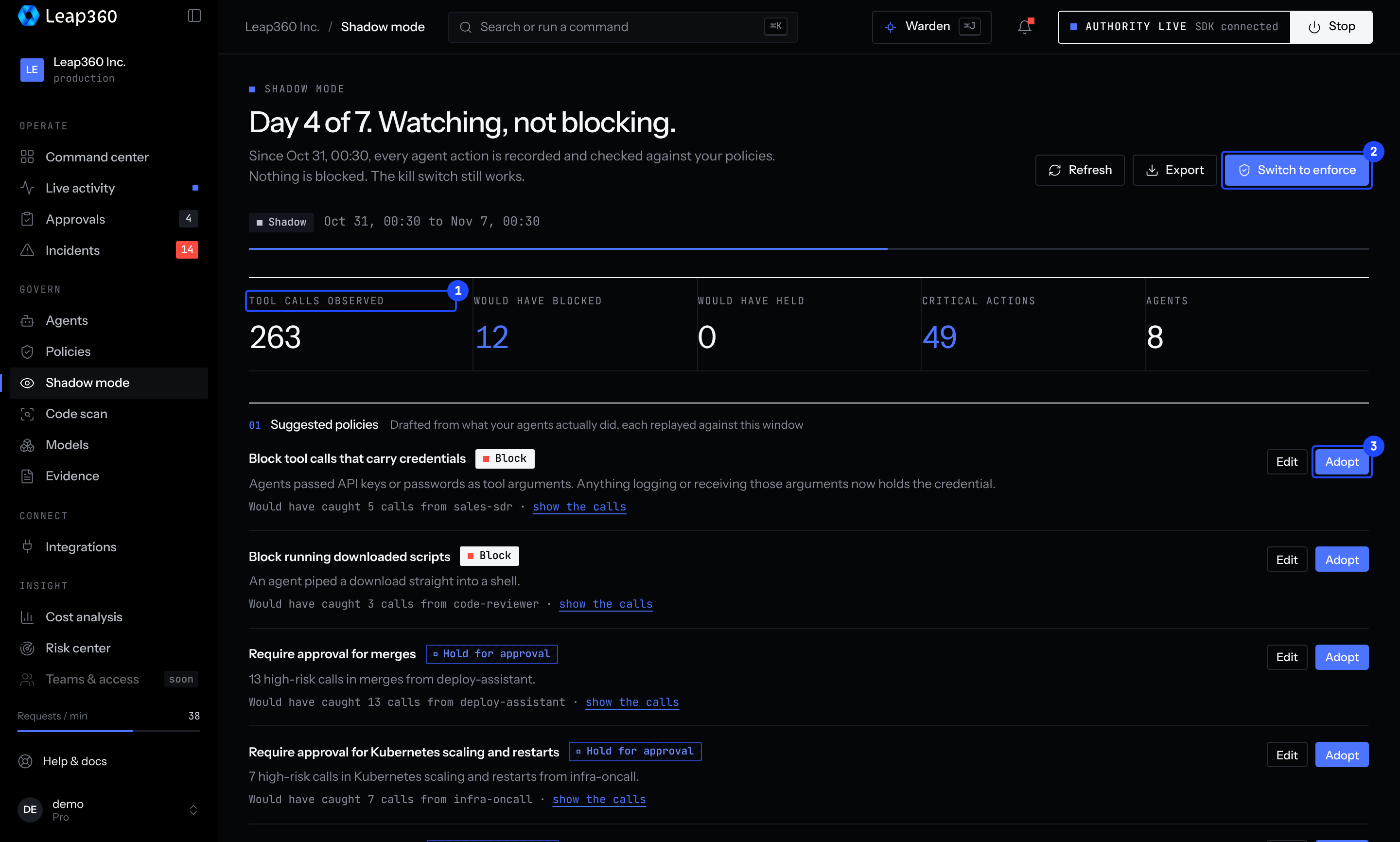
The report shows:
- Totals: tool calls observed, calls your policies would have blocked or held, and critical actions.
- Suggested policies: drafted from what your agents actually did. Each one lists the calls it would have caught, so you can check it before you adopt it.
- Per agent: the tools each agent used, the tools it can reach but never used, and the hosts, repositories and environments its calls targeted.
Adopt creates the policy as written. Edit lets you change it first. Adopted policies apply once the project is in enforce mode.
Switch to enforce
Choose Switch to enforce on the Shadow mode page. Only a person signed in to the console can turn shadow mode back on; an API key cannot.
Force a mode in code
Leave mode unset to follow the console. To force it for one agent:
const leap = new Leap360({ apiKey, projectId: 'my-app', serviceName: 'deploy-bot', mode: 'shadow' });Read the report from code
import { Leap360Client } from 'leap360';

const client = new Leap360Client();
const report = await client.getShadowReport();
console.log(report.totals.wouldBlock, report.suggestions.map((s) => s.policy.name));